
If you need to collect responses from paper surveys, grade multiple-choice tests, tabulate ballots, or process evaluation forms, you might assume you need a special OMR machine. With Remark Office OMR, you can use a standard document scanner or multifunction copier you may already own.

The software reads the completed responses and turns them into data you can analyze or export. No dedicated OMR scanner is required.
OMR stands for optical mark recognition. It is the process of identifying marked answers on a form, such as filled-in bubbles.
Think of a multiple-choice question with answers A, B, C, and D. When someone fills in the bubble for B, OMR recognizes that mark and records B as the response. This saves you from entering each answer by hand.
The terms “OMR scanner” and “OMR reader” often describe specialized machines designed to read marked responses from paper forms. These machines typically use specially printed forms.
Remark Office OMR takes a different approach. It uses software to read images of your completed forms, so a standard image scanner or multifunction copier can handle the scanning.
Your scanner creates the image. Remark Office OMR reads the answers.

In many cases, yes. Remark Office OMR works with most common image scanners, including the scanning function on multifunction printers and copiers.
If your equipment can scan a document and save it as a PDF, TIFF, or JPG file, Remark Office OMR can process those scanned images. That means the same office copier you use for everyday paperwork may also handle your surveys, tests, and other forms.
Getting from paper forms to usable results follows a few basic steps:
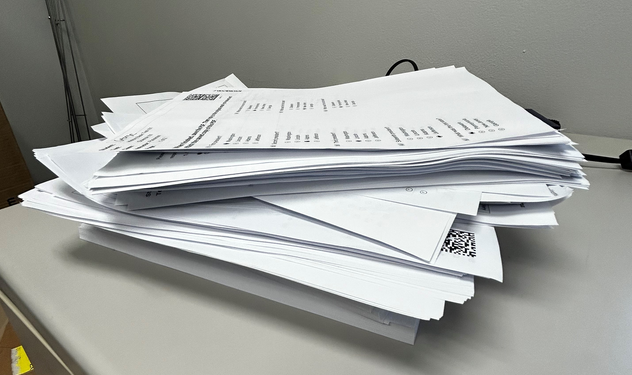
You can reuse your template whenever you process another batch of the same form.
No. Remark Office OMR lets you create and print your own forms on plain paper. You do not need to purchase proprietary answer sheets or special paper.
This gives you flexibility to include the questions and response options your project needs, whether you are collecting customer feedback, grading a classroom test, or reviewing employee training.
Remark Office OMR does more than collect marked answers. It includes tools for grading tests, analyzing surveys, and creating reports.

You can also export your results to Excel and other applications for further analysis or use with your existing processes.
You do not need a dedicated OMR machine to start collecting data from paper forms. With Remark Office OMR, your existing scanner or multifunction copier may be all the scanning equipment you need.
Combine that equipment with your own plain-paper forms and Remark Office OMR software, and you can spend less time entering responses and more time using the results.
Ready to try it with your own forms? Download a free trial of Remark Office OMR.
Share This
What Now?